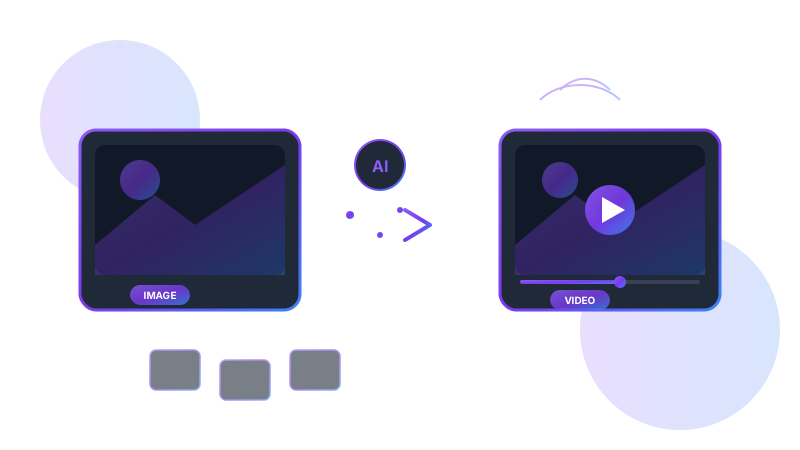
1What is Image to Video Conversion?
Image to video conversion uses artificial intelligence to transform static images into dynamic video content. This technology can add motion, transitions, effects, and even generate entirely new frames to create fluid video from single or multiple images. Modern image-to-video AI can animate photos with realistic camera movements, add zoom effects, create parallax depth, and even generate motion in subjects—turning portraits into moving videos or landscapes into cinematic sequences.
2How Image to Video AI Works
Image-to-video AI uses advanced neural networks to understand image content and generate realistic motion. The technology analyzes depth, identifies objects and subjects, and creates intermediate frames that simulate movement. Some tools use diffusion models to generate new content between frames, while others apply sophisticated motion effects based on scene understanding. The result is smooth, natural-looking video that brings your images to life.
3Key Image to Video Features
Modern image-to-video tools offer powerful capabilities for transforming your photos:
Motion Generation
AI creates realistic movement and animation from static images.
Camera Effects
Add pan, zoom, and parallax effects for cinematic results.
Scene Understanding
AI recognizes depth and objects to create natural motion.
Audio Integration
Add music, voiceovers, and sound effects to enhance videos.
4Benefits of Image to Video
Converting images to video unlocks numerous creative possibilities. Repurpose your photo library into engaging video content for social media. Create dynamic presentations and slideshows that capture attention. Transform product photos into eye-catching promotional videos. With AI-powered tools like Vivideo, you can create professional videos from your existing images in minutes, maximizing the value of your visual assets.
5Popular Use Cases
Image-to-video conversion is valuable across many applications:
Photo Memories
Turn photo albums into video stories
E-commerce
Animate product images for listings
Social Media
Create engaging content from photos
6Getting Started with Image to Video
Creating videos from images is straightforward with the right tools. Start by selecting high-quality images—higher resolution means better results. Choose a tool like Vivideo that offers image-to-video conversion. Select the motion style you want: subtle zoom, dynamic pan, or AI-generated animation. Add music or voiceover to enhance engagement. Export in your preferred format and share. The entire process takes just minutes!
Convert Images to Videos with Vivideo
Transform your photos into stunning videos instantly. Vivideo's AI makes it easy to create engaging video content from any image. Start free today.
Frequently Asked Questions
Related Articles
AI Video Generator: The Complete Guide
Transform your ideas into professional videos using artificial intelligence. Learn everything about AI video generation technology and how to create stunning content effortlessly.
Text to Video: Create Videos from Scripts
Turn your written content into engaging videos automatically. Discover how text-to-video AI is revolutionizing content creation and learn to create professional videos from any script.
AI Image Generator: Create Stunning Visuals
Discover how AI image generators are transforming visual content creation. From text-to-image tools to advanced art generators, learn how to create stunning visuals with artificial intelligence.